

How to Keep a Dallas Injury Claim Organized While You Recover
After an injury, staying organized can feel harder than it sounds. You may be dealing with pain, follow-up care, missed work, car repairs, insurance calls, and questions about what documents matter. If you are trying to organize personal injury claim Dallas records while also recovering, the goal is not perfection. The goal is to create a simple system that keeps important information from getting lost.
For many Dallas injury victims, confusion does not come from one major mistake. It comes from dozens of small gaps: a bill tossed in a drawer, a text message not saved, a repair invoice that disappears, a work note never forwarded, or a new treatment visit that never gets added to the file. Those small problems can make attorney review slower and can make it harder to understand the full impact of the injury.
This guide focuses on practical claim organization. It is not a general “what to do after an accident” article. Instead, it explains how to build and maintain a clean injury claim file while you heal, what to track, what to save, what mistakes to avoid, and when to update your lawyer as your case develops in Dallas.
Why organization matters in a Dallas personal injury claim
Personal injury claims are built on details. Medical records show treatment. Bills show cost. pay records help show income loss. Repair receipts show property damage expenses. Photos, emails, and messages can help establish timing, condition, and communication history. If those items are scattered across your phone, glove box, kitchen counter, and email inbox, it becomes much harder to get a clear picture of your claim.
Good organization helps with several important tasks:
- Showing what treatment you received and when
- Tracking what the injury has cost you so far
- Identifying what documents are still missing
- Helping an attorney review your file more efficiently
- Reducing the risk of inconsistent or incomplete information
- Making insurance communications easier to follow
- Helping you remember appointments, referrals, and work restrictions
In a large metro area like Dallas, treatment can happen across multiple providers and systems. A person might go to an emergency room in one part of the city, follow up with a primary care doctor in another, attend physical therapy near work, get imaging done at a separate center, and have vehicle repairs handled somewhere else entirely. Without a simple tracking method, records get fragmented quickly.
Organization also reduces stress. When you know where your records are, what has been submitted, and what still needs attention, you spend less mental energy trying to reconstruct the timeline later.
The core rule: keep one claim file, not five separate piles
A common problem is keeping information in too many places. A few bills might be in a folder. Texts are still on your phone. Photos are mixed in with family pictures. Repair receipts are in your car. Missed work notes are in your email. Insurer letters are on the kitchen table. That arrangement may feel manageable for a week or two, but it often becomes a mess by the second month.
Instead, create one master claim file with clearly labeled sections. You can keep it digitally, physically, or both. For most people, a hybrid system works best:
- A physical folder or binder for paper originals
- A digital folder system for scanned documents, photos, screenshots, and emails
- A single running log for appointments, expenses, and claim contacts
The point is not to build an elaborate legal archive. The point is to know exactly where to look when your lawyer asks for a bill, a discharge instruction, an insurance letter, or proof of missed work.
What to include in your Dallas injury claim file
Your file should make it easy to understand four things: what happened, what treatment you received, what the injury cost, and who communicated with you about the claim.
1. Incident details section
This section should contain the basic event information. Depending on the type of injury claim, that may include:
- Date and time of the incident
- Location in Dallas or the surrounding area
- Police report or incident report information, if available
- Names and contact details for involved parties
- Insurance claim numbers
- A simple written summary of what happened
If your memory of the event is fading, write a factual timeline now. Keep it simple. Include roads, intersections, landmarks, weather, lighting, and sequence of events if those details are relevant. Dallas-area crashes on congested roads such as I-35E, Central Expressway, I-30, or the Dallas North Tollway can blur together in memory over time. A plain timeline created early can help you later.
2. Medical treatment section
This section often becomes the largest part of the file. Include:
- Emergency room records
- Urgent care records
- Primary care visits related to the injury
- Specialist evaluations
- Imaging orders and imaging reports
- Physical therapy records
- Prescription receipts and medication lists
- Referral notes
- Work restriction notes
- Discharge instructions
Save both records and bills when possible. People often save one but not the other.
3. Expenses and losses section
This section should track every out-of-pocket cost and financial consequence connected to the injury, such as:
- Medical bills
- Co-pays
- Prescription costs
- Mileage or transportation costs to treatment
- Parking fees for appointments
- Medical equipment purchases
- Repair receipts
- Rental car expenses, if relevant
- Household help or service costs caused by your limitations
- Lost wages or reduced hours documentation
Even small expenses can become hard to remember later if you do not track them as they happen.
4. Insurance and claim communication section
This section should include communications with insurers and claims representatives. Save:
- Letters mailed to you
- Emails from insurers
- Claim number confirmations
- Adjuster contact information
- Coverage correspondence
- Settlement-related communications
- Requests for documents
- Denial letters or reservation of rights letters
Also maintain a simple call log with dates, names, and a short note about what was discussed.
5. Photo and evidence section
Keep all visuals in one place:
- Vehicle damage photos
- Scene photos
- Visible injury photos
- Photos of medical devices or home modifications related to the injury
- Screenshots of relevant text messages or app-based communications
Name the files clearly so they are searchable later.
A practical checklist for tracking appointments, bills, missed work, and repair receipts
If you only create one tool, make it a running checklist or spreadsheet. It does not need to be complicated. A notebook, phone note, spreadsheet, or printed table can work. What matters is consistency.
Appointments tracker
For each appointment, record:
- Date
- Provider name
- Facility name
- Reason for visit
- What body part or symptoms were addressed
- Whether a bill was received
- Whether records were received
- Follow-up recommendations
- Next appointment date
This helps you quickly answer basic questions such as:
- How many times have I treated since the injury?
- Did I ever get the records from that imaging center?
- When did the doctor first recommend physical therapy?
- Have I missed any follow-up visits?
Bills tracker
For each bill or charge, record:
- Date of service
- Provider
- Type of charge
- Amount billed
- Amount paid by insurance, if any
- Amount you paid
- Outstanding balance
- Date bill was saved to your file
This prevents duplicate confusion, especially when providers send multiple versions of bills or statements.
Missed work tracker
For missed work, keep a separate chart that includes:

- Dates missed
- Partial days missed
- Reason for missing work
- Whether the absence was doctor-ordered or symptom-based
- Any use of sick leave or PTO
- Changes in schedule, duties, or earnings
- Documents supporting the loss, such as wage statements or employer notes
Missed work is often remembered in broad strokes, but claims are easier to review when the dates are specific.
Repair receipts tracker
If your injury case involves a car accident, track all vehicle-related expenses:
- Tow bill
- Storage fees
- Repair estimates
- Final repair invoices
- Rental car charges
- Rideshare costs caused by lack of transportation
- Receipts for replacement child seats or damaged personal items if applicable
In Dallas, repair delays can happen because of shop backlogs, parts issues, and insurance approval delays. Save every document that helps explain the timeline and cost.
A simple folder structure that works
If digital organization feels overwhelming, use this straightforward structure:
- 01 Incident
- 02 Medical Records
- 03 Medical Bills
- 04 Photos
- 05 Insurance Communications
- 06 Work Loss
- 07 Repair and Property Damage
- 08 Receipts and Out-of-Pocket Costs
- 09 Lawyer Communications
- 10 Timeline and Notes
Inside each folder, name files consistently. A good naming format is:
YYYY-MM-DD – Provider or Source – Document Type
Examples:
- 2026-01-14 – Baylor Scott & White – ER Discharge Instructions
- 2026-01-20 – Physical Therapy Clinic – Initial Evaluation
- 2026-01-22 – GEICO – Adjuster Email
- 2026-01-25 – Repair Shop – Final Invoice
This format sorts naturally by date and makes records easier to locate.
How to save texts, emails, photos, and insurer communications in one place
One of the biggest modern claim problems is that important information lives across too many apps and devices. A voicemail might be on your phone. An adjuster email may be buried in your inbox. A body-shop text could be mixed in with unrelated messages. Injury photos may be in your photo stream between everyday pictures.
You do not need special software to fix this. You need a repeatable routine.
Texts
When you receive a relevant text:
- Take a screenshot that includes the date and sender name
- Save it to your claim photo or communications folder
- Rename it with the date and sender if possible
- Add a short note in your communication log if the text matters
Do this for texts from insurance adjusters, body shops, employers, witnesses, or anyone else whose message relates to the incident, treatment, repairs, or missed work.
Emails
Create a dedicated email folder labeled with the claim name or date. Move all injury-related emails there. Then, for especially important emails, save a PDF copy into your digital claim file. This adds a backup in case you later change devices or email platforms.
Save emails involving:
- Claim numbers
- Adjuster requests
- Appointment confirmations
- Billing notices
- Wage verification
- Repair approvals or delays
- Lawyer instructions
Photos
Create a separate album on your phone called something like “Dallas Injury Claim.” Move all relevant photos there as soon as possible. Back them up to cloud storage or another secure location. If you are photographing visible injuries over time, try to note the date and what the photo shows.
Helpful categories include:
- Scene and vehicle damage
- Bruising, swelling, cuts, or casts
- Medical devices like braces or slings
- Home adjustments such as shower chairs or ramps if used because of the injury
- Damage to personal items
Insurer communications
For calls with insurers, make a call log entry immediately after each conversation. Include:
- Date and time
- Name of representative
- Company name
- Phone number if available
- Claim number
- Short summary of what was discussed
- Any promises, deadlines, or requests made
This habit can prevent a lot of later confusion. It is much easier than trying to remember, weeks later, who said what.
The easiest way to build a claim timeline
A timeline is one of the most useful organization tools in any injury claim. It helps you and your attorney understand the progression of the case without digging through every page each time. It can be a spreadsheet, document, or notebook page.
Your timeline should include major entries such as:
- Date of incident
- Emergency treatment date
- Follow-up care dates
- New symptoms or diagnosis dates
- Physical therapy start and end dates
- Imaging dates
- Time off work dates
- Vehicle inspection and repair dates
- Important insurance communications
- Date you hired a lawyer, if applicable
Keep entries short. One line each is enough. Example:
- Feb. 3 – Rear-end crash on I-30 near downtown Dallas
- Feb. 3 – ER visit for neck and back pain
- Feb. 7 – Follow-up with primary care; referred to PT
- Feb. 10 – Missed full workday due to pain flare-up
- Feb. 14 – Began physical therapy twice weekly
- Feb. 18 – Adjuster requested vehicle photos and repair estimate
This kind of running summary can help a lawyer quickly understand your case during an initial review.
Common organization mistakes that create confusion later
Most claim organization problems are avoidable. Below are some of the most common mistakes people make while trying to manage an injury claim during recovery.
Saving only the “big” documents
People often save the emergency room paperwork and maybe a few major bills, but ignore the smaller records. Then later they realize there is no record of a therapy visit, no co-pay receipt, or no referral note showing how treatment progressed.
Small documents matter because they help complete the story.
Mixing claim records with normal life paperwork
If injury records are mixed in with household bills, school forms, and general email traffic, they become harder to track. A separate folder system is far more effective.
Failing to note what a receipt is for
A credit card statement rarely tells the whole story. If you buy medication, a brace, or parking for a medical visit, keep the itemized receipt and add a note if the purpose is not obvious.
Relying on memory for missed work
Weeks later, many people can remember that they missed “about a week” or “a few afternoons,” but not the exact dates. Claims review goes smoother when work loss is listed day by day.
Not saving communications after phone calls
Verbal conversations are easy to forget. If an insurer makes a request, gives a deadline, or says a payment is being processed, log it right away.
Forgetting to update the file after new treatment starts
Some people set up a good folder system at the beginning, then stop maintaining it once life gets busy. The result is a strong first section of the file and a messy second half.
Keeping photos only on one device
Phones break, get replaced, or run out of storage. Back up photos to cloud storage or another secure location.
Throwing away envelopes or letters from insurers
Sometimes mailed correspondence contains dates, claim references, deadlines, or coverage information that helps explain later events. Save the full document.
Not separating medical records from bills
A bill shows cost. A medical record shows treatment. They are not the same, and you often need both.
Using vague file names
File names like “IMG_4182” or “document2” are not helpful. Rename records so they can be identified quickly.
How a simple claim file can help during attorney review
When a lawyer reviews a potential or active personal injury claim, a clean file makes the process easier. That does not mean you need to organize everything exactly like a law office would. It means presenting your information in a way that helps someone understand the key facts without chasing missing pieces from ten different sources.
A simple claim file can help an attorney:
- See your treatment history clearly
- Identify missing records or billing gaps
- Understand how the injury affected work and daily life
- Review the sequence of insurance communications
- Spot issues that may need follow-up
- Evaluate whether more documentation is needed
Even if your file is incomplete, a reasonably organized file is better than a stack of unsorted papers or a vague verbal summary. If you have folders labeled by topic and date, attorney review becomes more efficient.
This matters because early claim evaluation often depends on basic questions such as:
- When did treatment begin?
- Are you still treating?
- What providers have you seen?
- What expenses have you already incurred?
- What work loss has occurred?
- What has the insurance company said so far?
A good file helps you answer those questions accurately.
When to update your lawyer after new treatment or expenses
If you have legal representation, do not wait until “everything is done” to share updates. Your lawyer should generally be informed when major developments happen in your treatment, work status, or expenses.
Update your lawyer when:
- You begin treatment with a new provider
- You are referred to a specialist
- You get imaging such as an MRI or CT scan
- You are told you need additional therapy or a procedure
- You receive a significant new bill
- You miss more work than expected
- Your work restrictions change
- You receive a notable insurer letter or request
- Your symptoms worsen or spread to another body area
- Your vehicle repair or total loss documents arrive
You do not necessarily need to send an email every time you buy over-the-counter pain relief, but you should update your lawyer when something materially changes the claim picture.
Why timely updates matter
Delays in updating can create avoidable problems. For example:
- Your lawyer may not know records need to be requested from a new provider
- Work loss may be undercounted
- Medical billing totals may be outdated
- Important insurer requests may go unanswered
- The case timeline may become incomplete
If you are unsure whether something is important enough to share, ask. It is usually better to send a concise update than to assume it does not matter.
A weekly maintenance routine that keeps your case manageable
Claim organization gets easier when you stop treating it like a giant project and start treating it like a short weekly task. Set aside 15 to 30 minutes once a week. That is often enough.
Weekly claim maintenance checklist
- Upload or file any new records, bills, or receipts
- Add new appointments to your tracker
- Update missed work dates
- Save screenshots of important texts
- Move relevant emails into your claim folder
- Update your timeline with major events
- Note any pending requests from providers, insurers, or your lawyer
- Back up your digital files
This simple habit can keep a claim from becoming overwhelming. It is especially useful if you are dealing with several weeks or months of treatment in the Dallas area and have appointments spread across different providers.
How to organize paper records if you are not comfortable with digital tools
Not everyone wants to scan and upload every document. If a paper-based system feels easier, that is fine. Use a large accordion folder or binder with tabs. Label sections clearly:
- Incident
- Medical Records
- Medical Bills
- Insurance
- Work Loss
- Repairs
- Receipts
- Lawyer Notes
Then keep a simple front-page index listing what is inside and what is still missing. For example:
- ER records received – yes
- ER bill received – yes
- PT records received – no
- Employer wage letter – pending
- Final repair invoice – yes
If possible, still take phone photos or scans of the most important documents so you have a backup copy.
What Dallas claimants should watch for when providers and insurers send duplicate or confusing paperwork
Medical and insurance paperwork often comes in waves. You may receive an estimate, then a bill, then a statement, then an explanation of benefits, then a collections notice, all referring to similar dates. This can be confusing if you do not separate the documents by type.
Keep these categories separate
- Medical record: describes the treatment
- Provider bill: shows what the provider says is owed
- Insurance explanation of benefits: shows what an insurer processed, but is not always the actual bill
- Collection notice: shows a payment problem or account transfer
When in doubt, add a note to the file. For example: “Same date of service as MRI, but this appears to be radiologist reading fee, not facility charge.” Small notes like that can save time later.
Warning signs that your claim file is getting out of control
If any of the following sound familiar, your organization system probably needs attention:
- You cannot quickly list all providers you have seen
- You know you have bills somewhere, but do not know which ones
- Your phone contains important claim photos mixed into thousands of unrelated images
- You are not sure whether your lawyer has your latest treatment updates
- You cannot remember how many days of work you missed
- You are receiving letters you do not understand and have not filed
- You are repeating the same information to different people because you cannot find your notes
These are not unusual problems, but they are signs to pause and rebuild your file before the confusion grows.
What to do if you are already behind on organization
Many people do not start organizing right away. If you are reading this weeks or months into treatment, you can still clean things up. Start with triage.

Step 1: Gather everything into one place
Collect paper documents from your car, purse, kitchen counter, desk, and mailbox. Save relevant emails into one folder. Screenshot important texts. Create a photo album for the claim.
Step 2: Sort by broad category
Do not obsess over detail at first. Just separate items into major groups:
- Medical
- Insurance
- Work
- Repairs
- Receipts
Step 3: Create a provider list
Write down every doctor, clinic, therapy office, hospital, imaging center, and pharmacy involved so far. This becomes the backbone of your medical section.
Step 4: Reconstruct your timeline
Use appointment reminders, maps history, calendar entries, portal logins, and billing dates to rebuild the sequence.
Step 5: Identify missing items
Mark what you still need, such as:
- Missing bills
- Missing work notes
- Missing repair invoice
- Missing insurer correspondence
Step 6: Start the weekly maintenance habit
Once you are caught up, prevent backsliding with a weekly check-in.
Example of a clean personal injury claim checklist
Below is a model checklist you can adapt for your own use.
Claim basics
- Incident date:
- Location:
- Claim number:
- Adjuster name and contact:
- Attorney name and contact:
Medical tracking
- ER visit saved
- Urgent care records saved
- Primary doctor records saved
- Specialist records saved
- PT records saved
- Imaging reports saved
- Prescription receipts saved
- Work restriction notes saved
Expense tracking
- All medical bills entered
- Co-pays entered
- Mileage or travel costs entered
- Parking receipts entered
- Medical supply receipts entered
- Rental or rideshare costs entered
Work loss tracking
- Dates missed listed
- Pay stubs saved
- Employer verification requested or received
- Reduced duty or schedule change documented
Vehicle or property damage tracking
- Damage photos saved
- Tow receipt saved
- Estimate saved
- Final repair bill saved
- Rental records saved
Communications tracking
- Insurer letters saved
- Adjuster emails saved
- Important texts screenshot and saved
- Call log updated
- Lawyer updates sent
How detailed should your notes be?
People often worry they either need to document every tiny thing or almost nothing. The right approach is somewhere in the middle. Keep notes factual and useful.
Good notes usually include:
- Dates
- Names
- What happened
- What was requested
- What you did next
Examples of helpful notes:
- “3/5 – PT recommended two more weeks due to ongoing neck stiffness.”
- “3/8 – Missed afternoon shift because of migraine after treatment.”
- “3/10 – Adjuster requested repair invoice and proof of rental extension.”
You do not need to write a diary entry after every event. Short, clear notes are enough.
How organization supports free legal consultations
If you are planning to speak with a lawyer for a free consultation, organized records can make the meeting more productive. You do not need a perfect packet. But bringing a concise summary and the documents you already have can help the lawyer understand your situation faster.
Before a consultation, try to have:
- A short incident timeline
- A list of providers seen so far
- Any major records or bills you have received
- A summary of missed work
- Photos of injuries or damage if available
- Insurance claim details and adjuster contact information
This does not replace formal legal review, but it gives the attorney a cleaner starting point.
FAQs about how to organize a personal injury claim in Dallas
Should I keep digital files, paper files, or both?
Both is often best. Digital files are searchable and easy to share. Paper files are useful for originals and people who prefer physical organization. If you must choose one, pick the format you are most likely to maintain consistently.
Do I need every receipt, even small ones?
If the expense is related to your injury, treatment, or repair issue, keep it. Small costs add up and are easy to forget later.
What if I already deleted a text or lost a receipt?
Do not panic. Save what you still have and make a note of what is missing. You may be able to recover some information through statements, portals, provider offices, or email confirmations.
How often should I update my claim file?
Weekly is a good baseline. If you are receiving frequent treatment or insurer contact, you may want to update it more often.
What if I switch doctors or start seeing a specialist?
Add the new provider to your file immediately, start a folder for that provider, and let your lawyer know if you are represented.
Should I save voicemails?
Yes, especially if they contain deadlines, requests, or important claim statements. If possible, back them up or make a written note with the date and summary.
What is the biggest organization mistake people make?
Waiting too long. Once documents and communications pile up, the case becomes much harder to reconstruct. A simple system started early is usually enough.
Does organization matter if my injuries seem straightforward?
Yes. Even straightforward claims involve treatment dates, billing, work loss, and insurer communication. A clear file reduces confusion and saves time.
Final thoughts: keep it simple, current, and easy to share
If you are trying to organize personal injury claim Dallas records while dealing with pain, appointments, and day-to-day recovery, the best system is the one you will actually use. You do not need a complicated process. You need one claim file, a basic tracker, a communication log, and a weekly habit of adding new information.
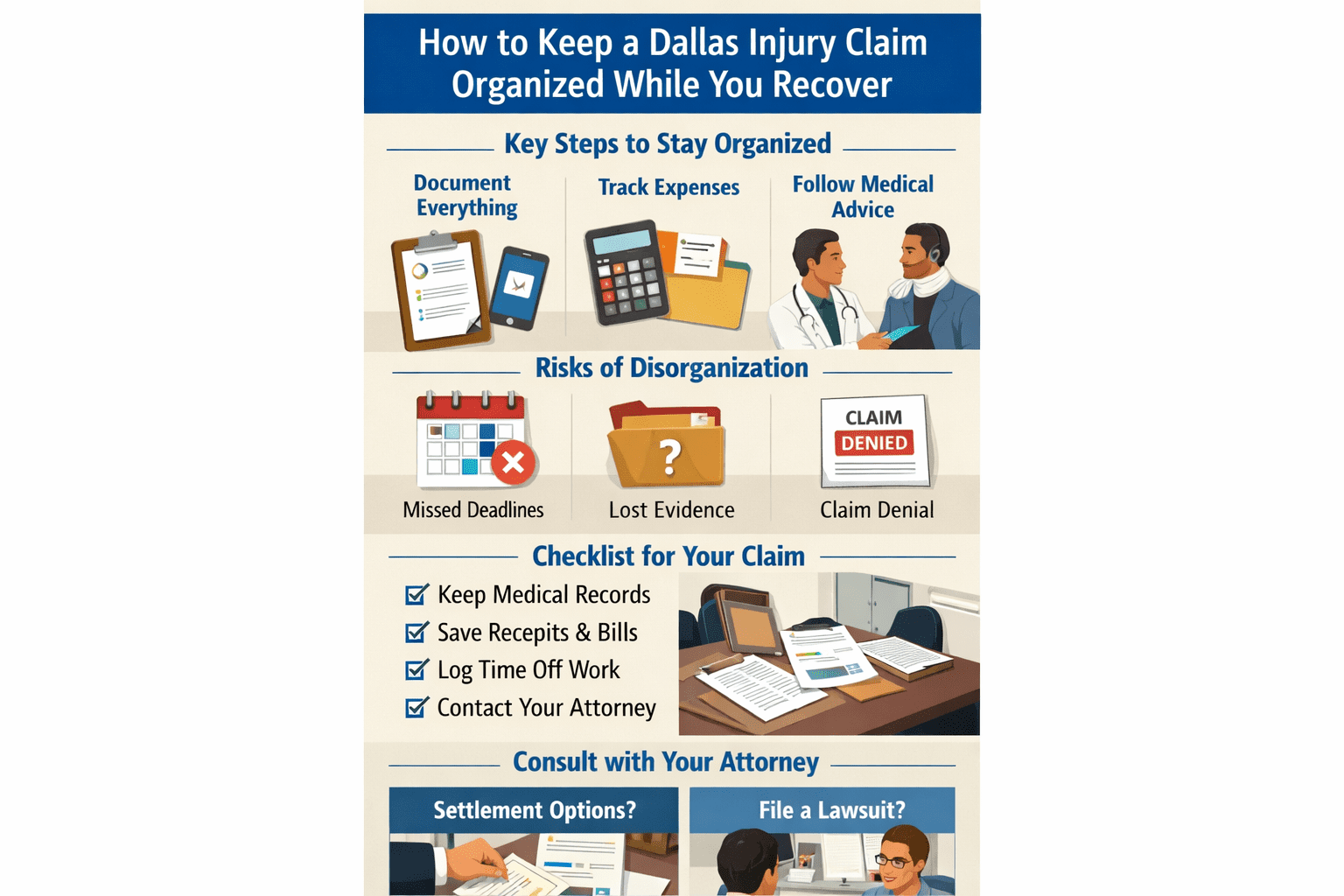
Track appointments, bills, missed work, and repair receipts. Save texts, emails, photos, and insurer communications in one place. Avoid the common mistakes that cause later confusion. And if you are working with an attorney, update your lawyer when new treatment, new expenses, or major claim developments happen.
A clean file cannot undo an injury, but it can make the legal side of recovery easier to manage. It can also help your attorney review the case more efficiently and identify what is still needed.
If you were hurt in Dallas and need guidance on keeping your claim on track, contact a local personal injury lawyer for a free consultation today. Injury Nation helps connect injured people with local personal injury lawyer resources and legal guidance when clarity matters most.